For black smudges or dots, or horizontal lines or streaks on your copies, please scroll to the bottom of the page where you will find links to instructions for each issue.
Materials:
- A lint free cloth
- Alcohol or glass cleaner
Dampen the cloth with the alcohol or glass cleaner. Do not soak the cloth.
_____________________________________________________________________________
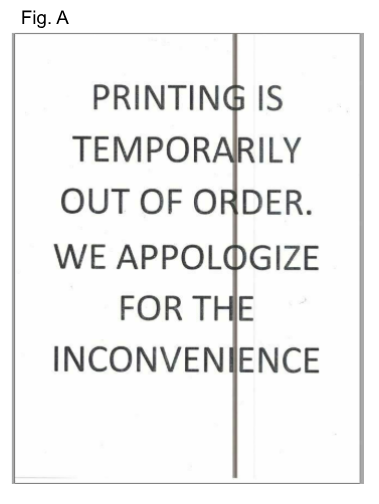
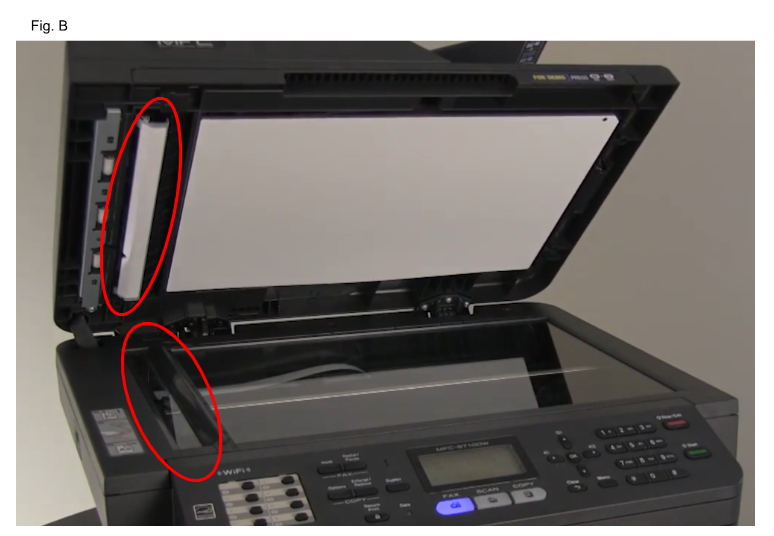
If your printer leaves a black vertical line on your page (Fig. A), you will need to clean your scanner's glass strip and white pads (Fig. B), as well as the flatbed glass. Please do not push down on the flatbed glass.
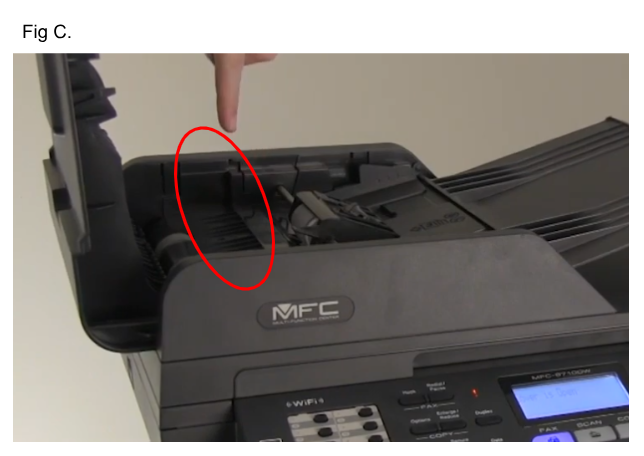
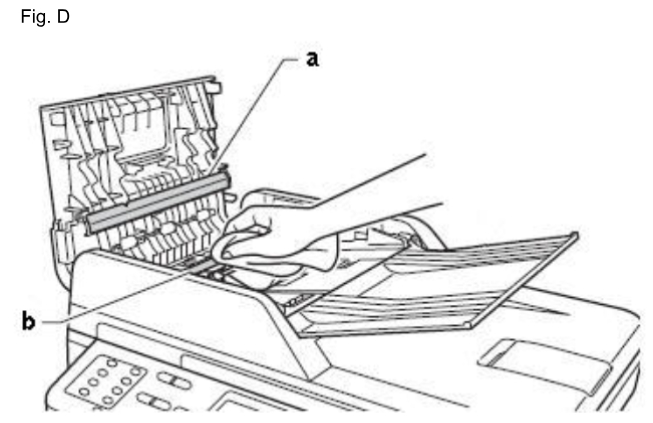
If your printer has a top feeder, you will need to open it and clean the glass strip inside the feeder mechanism. (Fig. C and Fig. D)
__________________________________________________________________________________________________
Black Smudges or dots on printed page
or
Black Horizontal lines or streaks on printed page
Was this article helpful?
That’s Great!
Thank you for your feedback
Sorry! We couldn't be helpful
Thank you for your feedback
Feedback sent
We appreciate your effort and will try to fix the article