To avoid having to choose a printer each time you want to print something from the EHR, follow these steps to set your printer as the default:
- Open a terminal
- Log into the practice
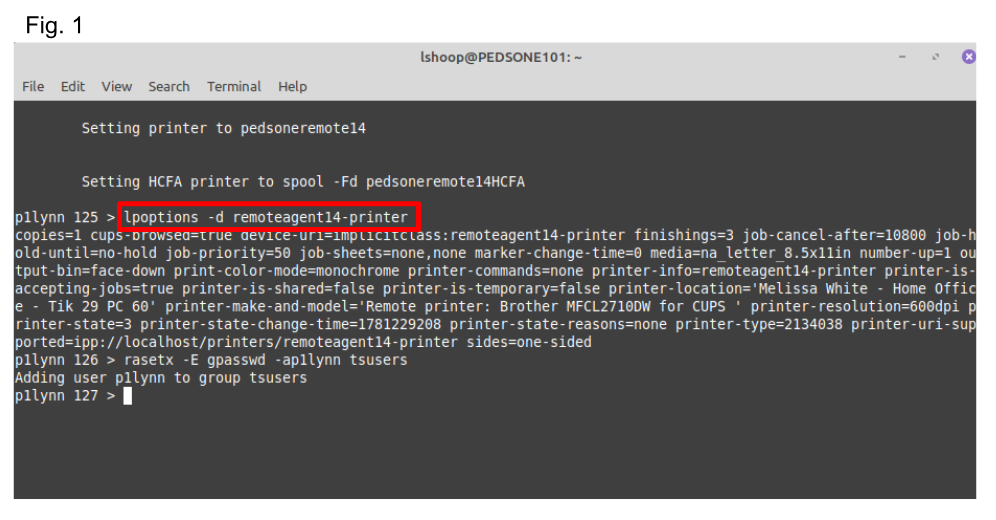
- type the following command line: (see Fig. 1)
- lpoptions -d remoteagent00-printer
- press enter
*NOTE: 'remoteagent00-printer' will be replaced by the name of your own printer
If you do not know the name of your printer, please submit a ticket to request that information
Once you have made this change, you will now no longer have to choose your printer from the EHR.
If this does not work, please close completely out of the EHR and Remmina, and then log back in and try again.
If it still does not work, please submit a ticket for assistance.
Was this article helpful?
That’s Great!
Thank you for your feedback
Sorry! We couldn't be helpful
Thank you for your feedback
Feedback sent
We appreciate your effort and will try to fix the article