If a specific calendar 'disappears' or you can't find it:
What's probably happening is that it's 'unchecked' on the left side menu.
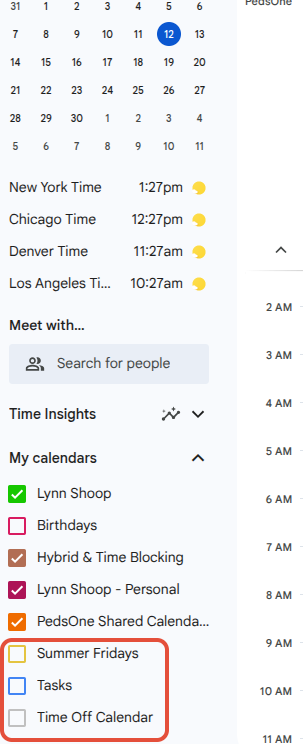
A quick video is attached, which shows the steps.
You can follow along. (video has no sound).
If you prefer bulletpoint instructions:
- in your calendar, on the left side menu, scroll down and click the + under 'Other Calendars'
- choose 'subscribe to calendar'
under 'Add Calendar' type 'time' and that will bring up the Time Off Calenar for you to choose
Exit settings by clicking the left arrow at the top left of your screen
the Time Off Calendar will be on the left side with your other calendars'
make sure it's checked so it will be visible in your calendar view
Was this article helpful?
That’s Great!
Thank you for your feedback
Sorry! We couldn't be helpful
Thank you for your feedback
Feedback sent
We appreciate your effort and will try to fix the article