How to change your password for your Windows RDP
Must be done every 3 months, or you will get locked out and a ticket will need to be raised with ClearBearing
Directions:
- sign in
- click the wrench
- click 'send ctrl/alt/delete'
- it will bring up 'change a password' as an option
- follow the steps
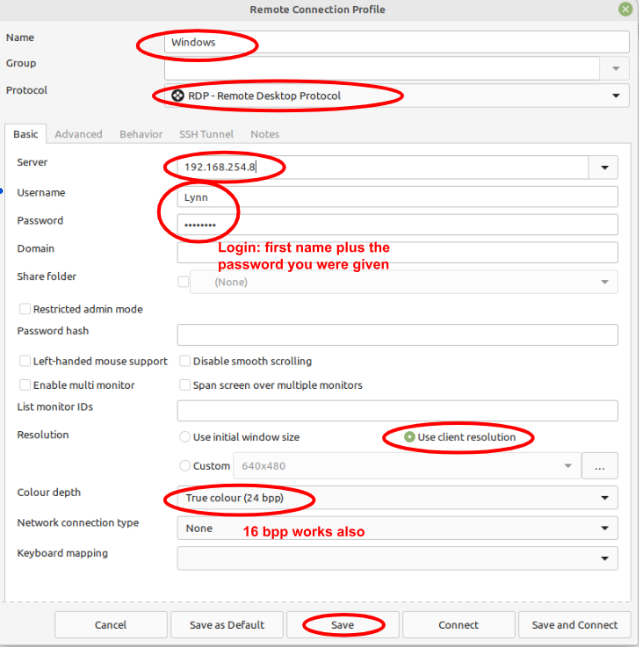
If you must have ClearBearing reset your password, update your Remmina profile:
Was this article helpful?
That’s Great!
Thank you for your feedback
Sorry! We couldn't be helpful
Thank you for your feedback
Feedback sent
We appreciate your effort and will try to fix the article