Lost Connection to RDP Server
Give RDP Access (sometimes this disconnects on it's own and needs to be reconnected)
- Open Partner and log into the practice
- at the prompt, type: rasetx -E gpasswd -ap1lynn tsusers - replace lynn with your login
- enter
- it will pop up with a message that says, 'user p1lynn has been added to tsusers'
- If it does NOT say that, check for typos and try again
Step Two:
- Close completely out of Remmina and restart
- When closing out, simply logging out doesn't always mean you are completely closed out.
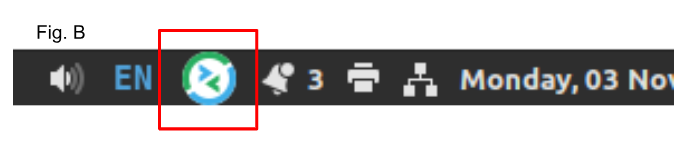
- Look at your task bar at the bottom right of your screen.
- If you see the Remmina logo, (see Fig. B), click it and choose 'quit' from the menu.
- If you don't see it, you are not already logged in.
If you are still receiving the error message when you try to log in, move on to step 3.
Step Three:
Delete the practice from Remmina and reinstall it
Right click on the practice in the Remmina dialog box and choose delete
Reinstall by right clicking on an existing practice and copying it
Open the copy and adjust the settings to the practice you just deleted
If you are still receiving the error message, submit a support ticket to support@pedsone.com for escalation.
Unable to Log Into the Practice After Newly Added to Remmina
Give RDP Access (sometimes this disconnects on it's own and needs to be reconnected)
- Open Partner and log into the practice
- at the prompt, type: rasetx -E gpasswd -ap1lynn tsusers - replace lynn with your login
- enter
- it will pop up with a message that says, 'user p1lynn has been added to tsusers'
- If it does NOT say that, check for typos and try again
Step Two:
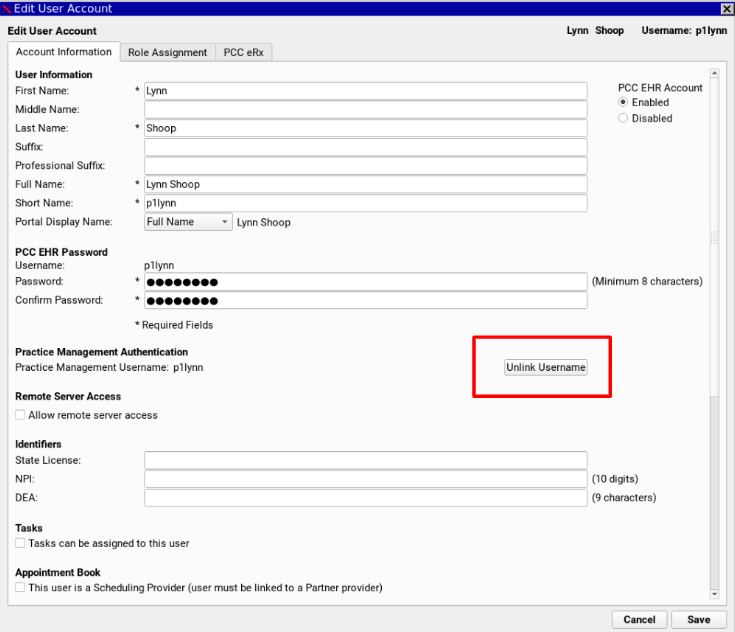
- Log into the EHR
- Tools
- User Administration
- Open the user in question
- Click the 'Unlink Username' button
- Save and Exit
Step Three:
- Ensure passwords are the same in the EHR as well as Remmina. Passwords must be changed in the EHR, otherwise they don't sync and this can cause a problem.
- Ensure the settings are correct in Remmina
- Ensure passwords are the same in the EHR and Partner.
Was this article helpful?
That’s Great!
Thank you for your feedback
Sorry! We couldn't be helpful
Thank you for your feedback
Feedback sent
We appreciate your effort and will try to fix the article