The only permitted extensions as of 4/4/25:
Endpoint Verification
GIPHY for Chrome
Slides
Sheets
Bitwarden Password Manager
Google Docs Offline
Docs
Any other extension on your profile needs to be uninstalled.
How to Uninstall Chrome Extensions
Wondering how to see what Chrome extensions you have, view their details, change their settings, and remove them? The best way to see and remove extensions in Chrome is with the full extension manager:
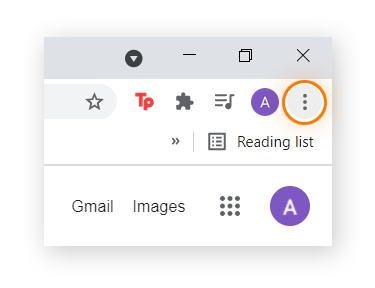
Open Chrome and click the three-dot icon in the right corner.
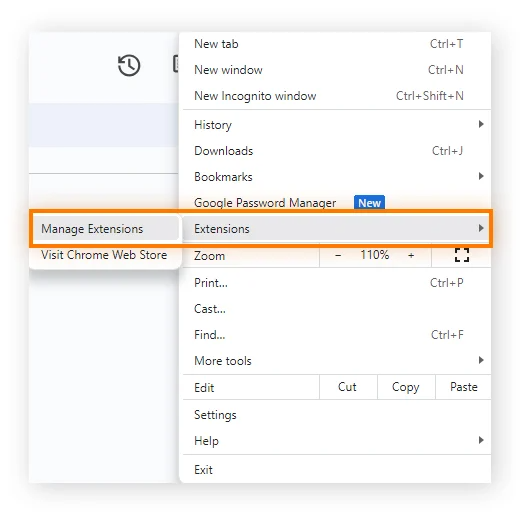
Select Extensions, then click Manage Extensions.
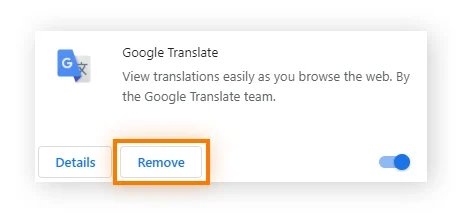
Click Remove to remove Chrome extensions or Chrome apps you don’t want, then click Remove again to confirm the removal.
Was this article helpful?
That’s Great!
Thank you for your feedback
Sorry! We couldn't be helpful
Thank you for your feedback
Feedback sent
We appreciate your effort and will try to fix the article