Integrating AI into Workspace
We are piloting the use of AI tools integrated directly into our familiar Google Workspace environment. This shift allows us to move away from general-purpose, non-integrated tools like ChatGPT and focus on a solution built for our needs, offering enhanced security and compliance.
This introduction – Generated with support from Gemini! – will help you get started with Gemini.
Gemini is our new, secure, and powerful AI assistant, integrated right into PedsOne’s Google Workspace applications.
Key Compliance Notice: HIPAA and Gemini Usage
Security and HIPAA compliance are our highest priority.
Gemini use within Google Workspace is HIPAA compliant. This means you can use the AI features integrated into applications like Gmail, Docs, and Sheets with confidence, as they adhere to our compliance standards.
The standalone Gemini application is NOT HIPAA compliant.
Warning: Gemini can make mistakes!
Be forewarned: Gemini can make mistakes and hallucinations (make things up). It is your responsibility to use good judgment when using Gemini. Do not blindly copy and paste without proofreading or reviewing.
When used correctly, Gemini is a tool that can help make work easier and more efficient, not replace work. It’s an important distinction to keep in mind.
Getting Started
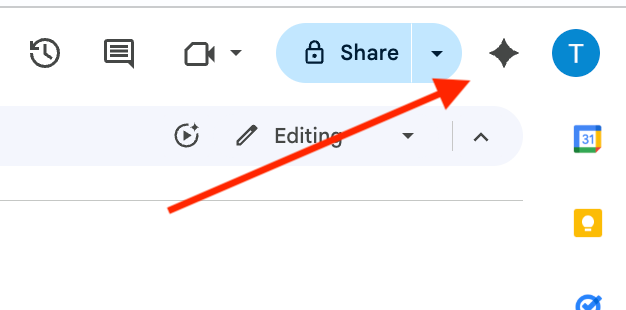
Look for the Star Icon or an equivalent AI integration prompt within the toolbar of the following applications to begin your pilot:
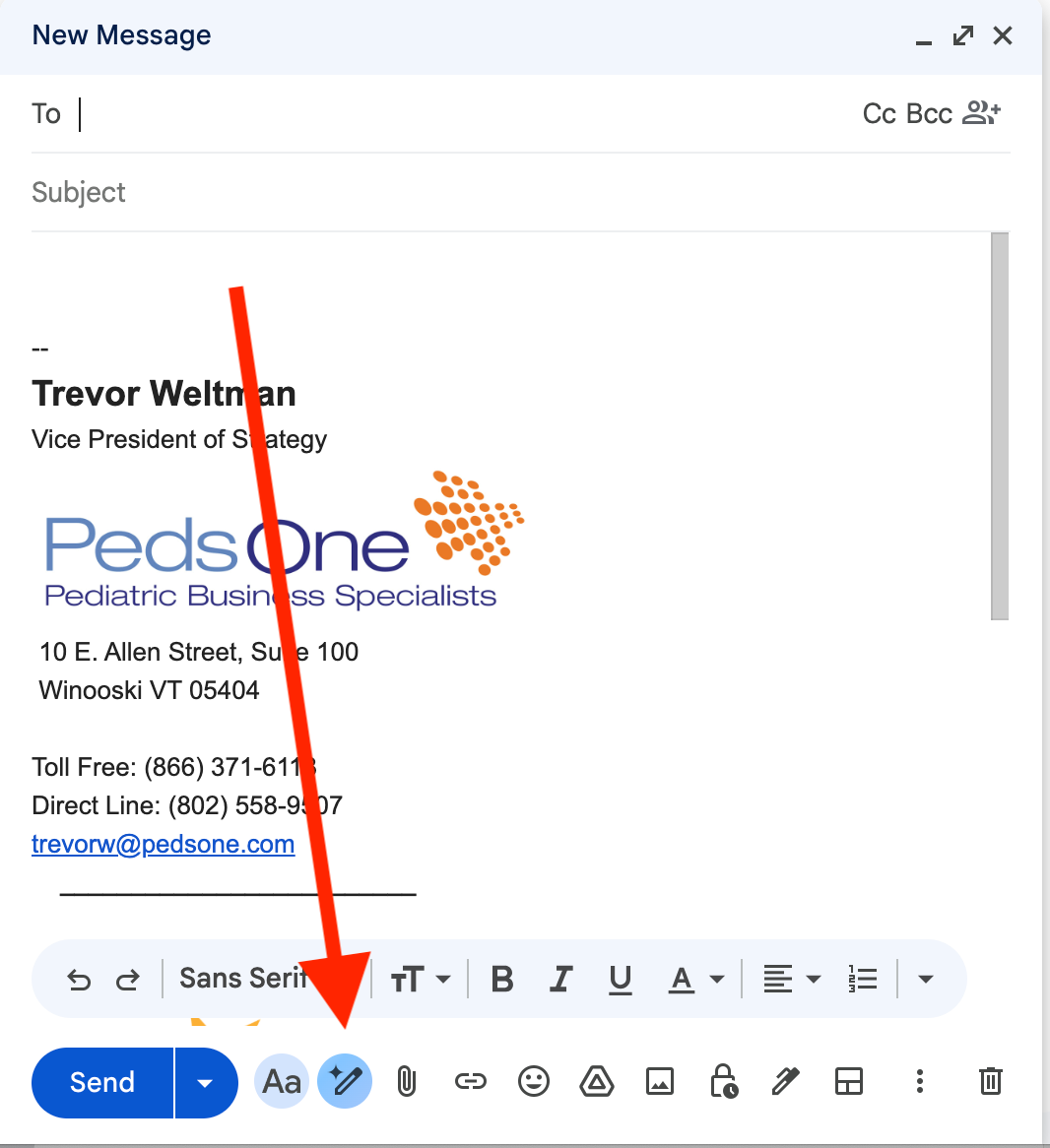
Gmail: For drafting emails.
Docs: For writing and summarizing documents.
Sheets: For data analysis and formula creation.
Drive: For summarizing files.
This pilot phase is an opportunity to explore how integrated AI can securely and compliantly support your daily work.
How Gemini Can Boost Your Productivity
Gemini is built into the Google applications we use every day, making its AI capabilities instantly accessible.
1. Drafting and Editing Messages (Gmail)
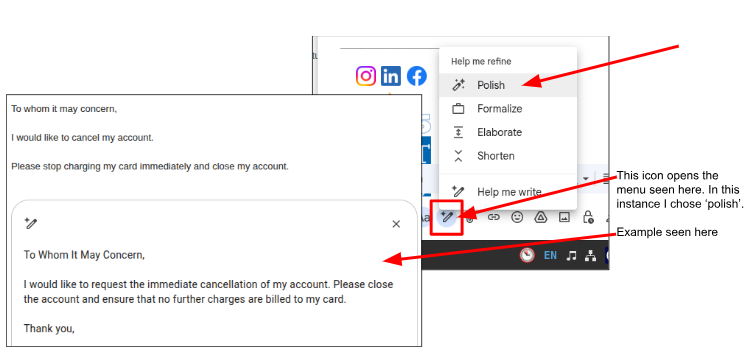
Draft Messages: Use the "Help me write" prompt to quickly generate professional email drafts for various scenarios, from scheduling to patient follow-up.
Edit and Refine: Select text to improve tone, shorten a lengthy message, or expand a brief note into a formal email.
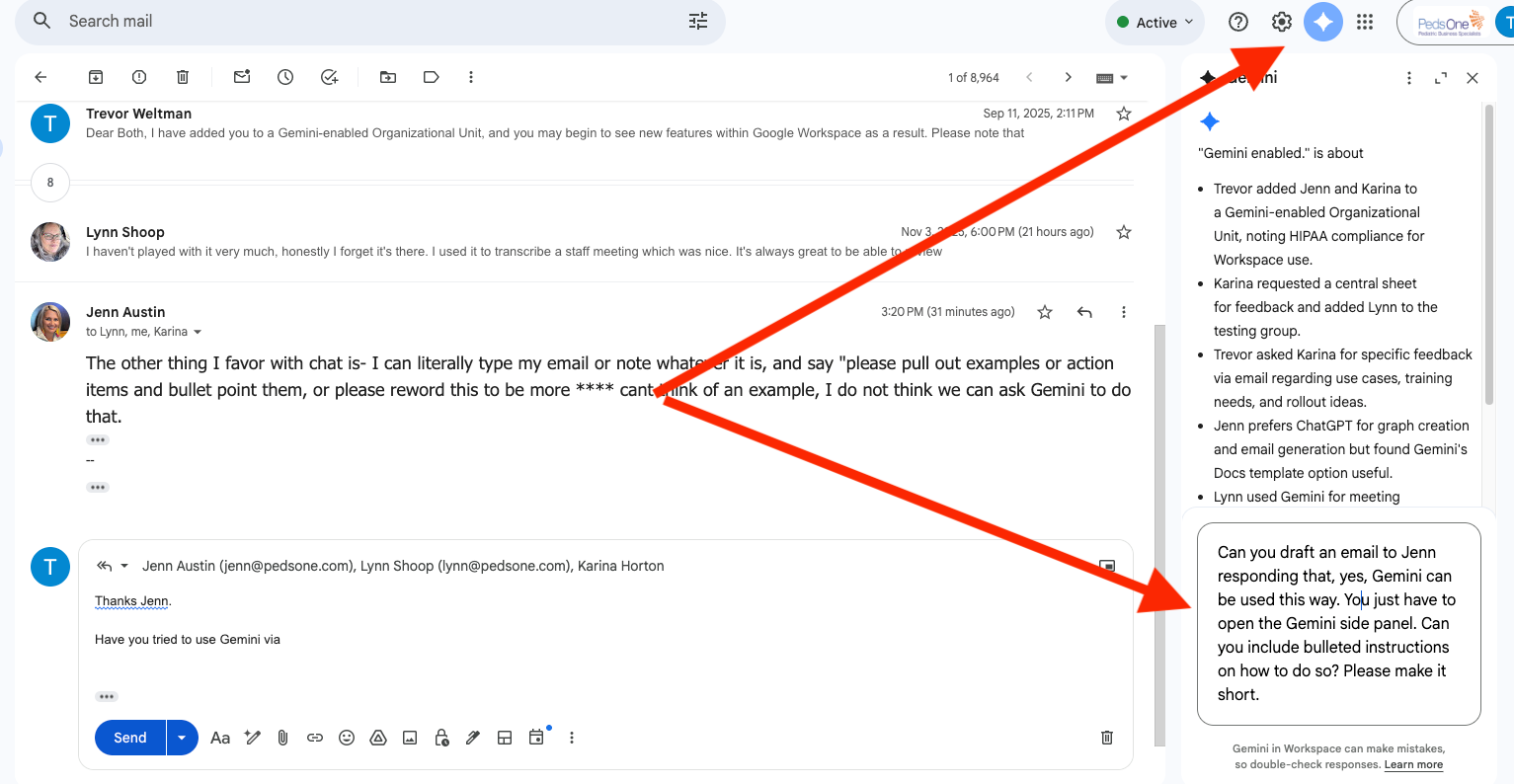
To do this, you can:
Open the document or email you want to work with.
Look for the Gemini icon (usually a star or a similar symbol) in the side panel of your Google Workspace app (e.g., Gmail, Docs, Sheets).
Click the icon to open the Gemini side panel.
You can then use the prompts to pull out examples, action items, or reword text.
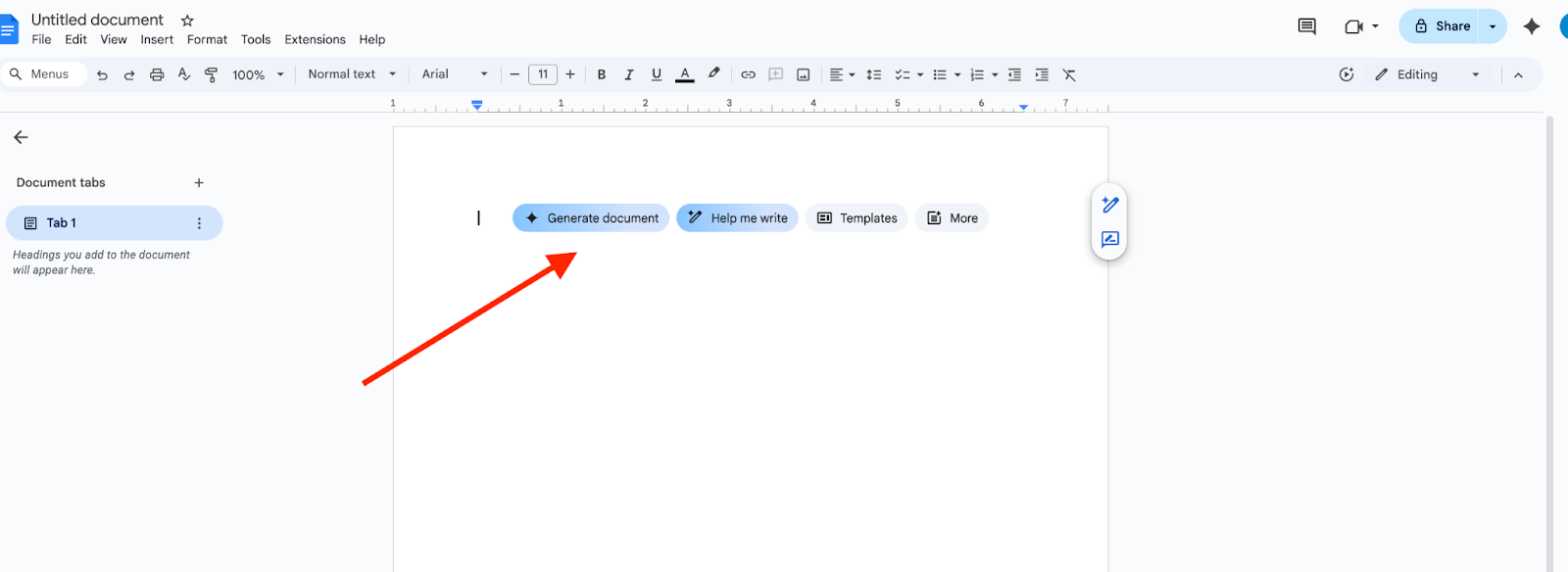
2. Streamline Document Creation (Docs)
Generate Content: Start a new document with an AI-generated outline, draft a policy section, or summarize research from meeting notes.
Summarize and Synthesize: Quickly get the main points from a long document, saving time on reading and analysis.
3. Analyze and Organize Data (Sheets)
Formula Generation: Use natural language to describe the calculation you need, and Gemini will generate the correct formula.
Categorize and Clean Data: Ask Gemini to help identify and categorize data entries, or clean up inconsistent formatting within your spreadsheets.
Was this article helpful?
That’s Great!
Thank you for your feedback
Sorry! We couldn't be helpful
Thank you for your feedback
Feedback sent
We appreciate your effort and will try to fix the article