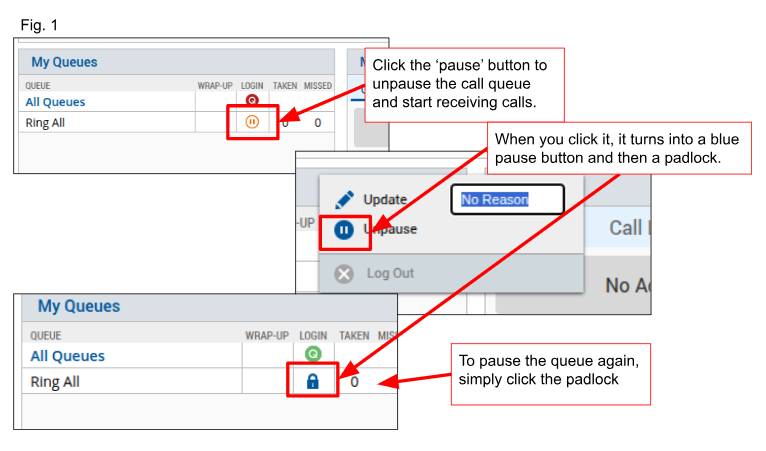
To unpause the call queue, in other words, receive incoming calls from the main line, scroll down to the bottom of your Switchboard, to the 'My Queues' box.
Click the orange 'pause' button. It will turn into a blue pause button, and then a blue padlock. (See Fig. 1)
To pause again, simply click the blue padlock icon and it will turn into an orange pause button indicating your calls are paused.
Was this article helpful?
That’s Great!
Thank you for your feedback
Sorry! We couldn't be helpful
Thank you for your feedback
Feedback sent
We appreciate your effort and will try to fix the article