- Log into Bitwarden
- Log into Zoom
- Zoom asks for the authentication code, press 'ctrl+shift+l' (that's an L), and it should auto populate the code for you.
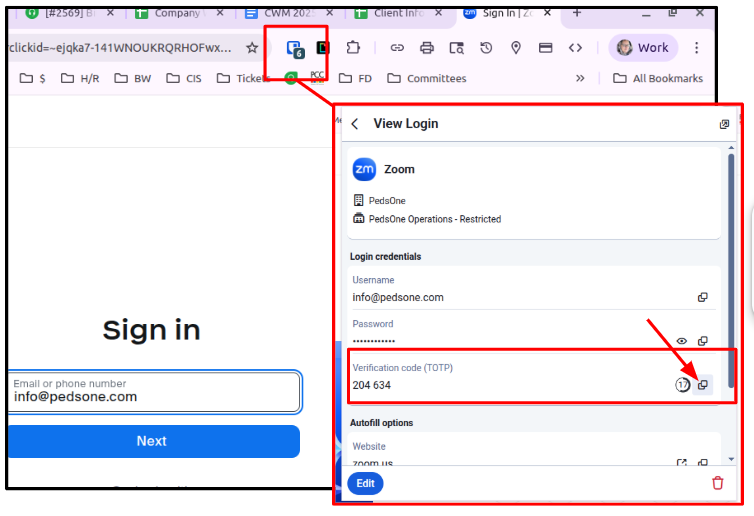
If the authentication code does NOT auto populate, you can click on the extension when you are in Zoom, to open the Zoom item, and it will show in the dropdown menu on the extension. You can copy the Authentication (Verification) code from there by clicking the 'copy' icon. (see screenshot below)
Was this article helpful?
That’s Great!
Thank you for your feedback
Sorry! We couldn't be helpful
Thank you for your feedback
Feedback sent
We appreciate your effort and will try to fix the article