OptumPay in Bitwarden is configured to use a passkey.
NOTE: this is becoming a more common login method, so please familiarize yourself with it.
How the passkey works:
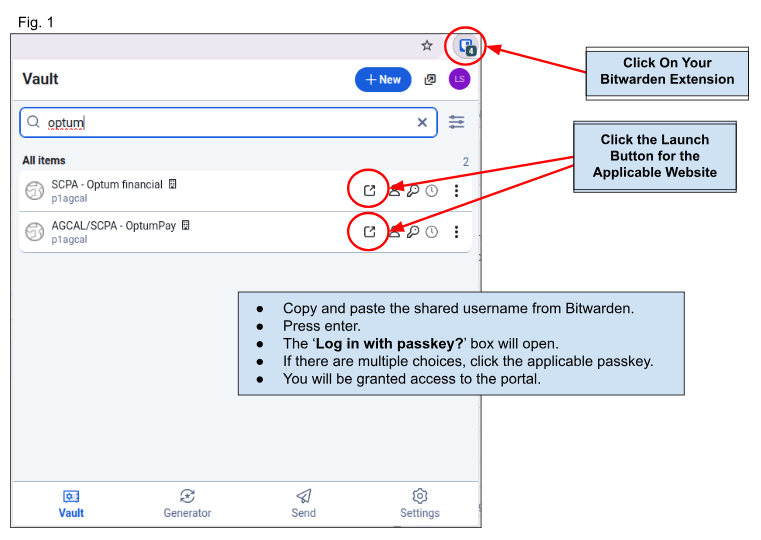
- First, log into the Bitwarden Extension. (Passkeys will not work if you are only using the Vault tab).
- Navigate to the AGCAL/SCPA (or other applicable client) - OptumPay login page
- Launch by clicking the applicable icon (Fig. 1)
- After entering the username, hit enter
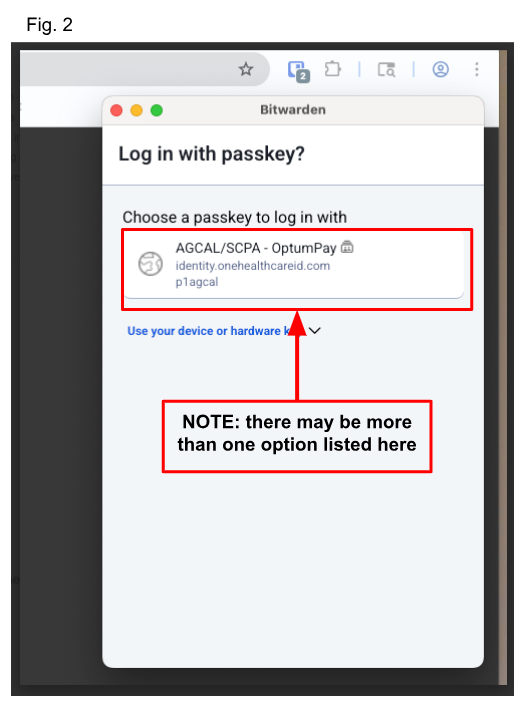
- A passkey prompt should appear via a popup window (Fig. 2)
- Click the applicable passkey to gain access
Please scroll down for more troubleshooting options
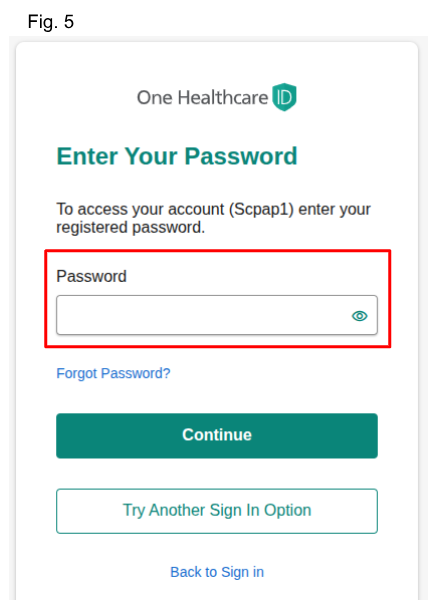
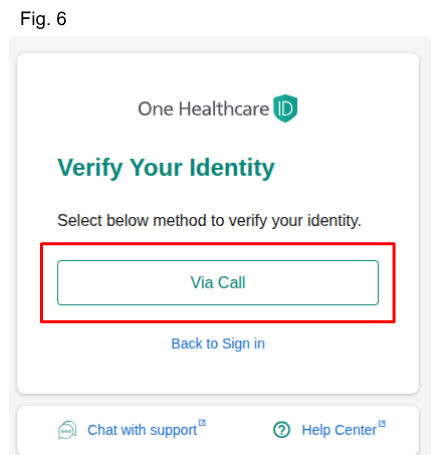
If you receive an error message when trying to use your passkey, click the 'Try Another Sign In Option' button. (Fig. 3)
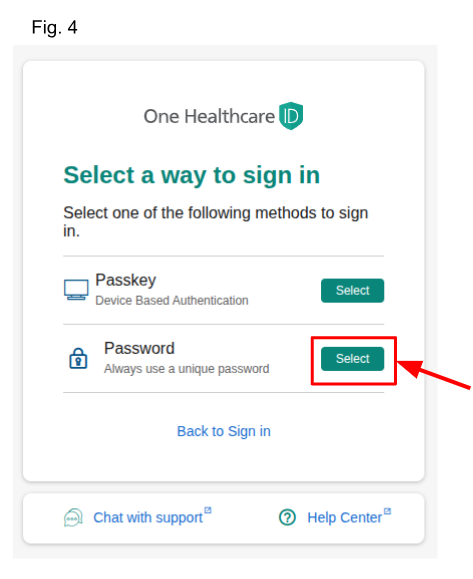
From the next screen (Fig. 4), select password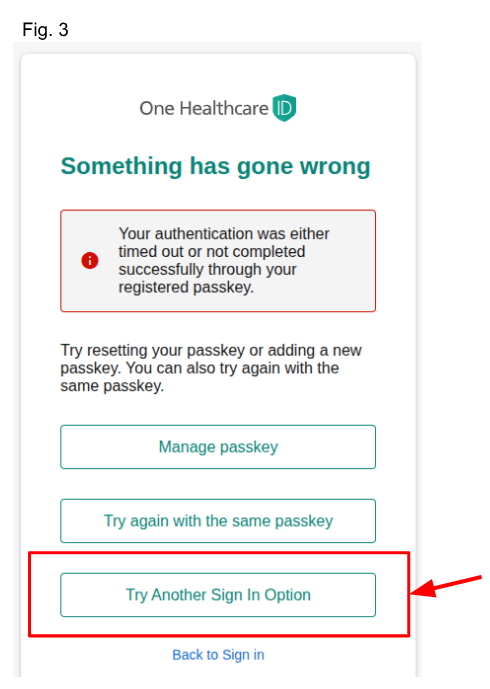
Was this article helpful?
That’s Great!
Thank you for your feedback
Sorry! We couldn't be helpful
Thank you for your feedback
Feedback sent
We appreciate your effort and will try to fix the article