Please reboot your computer
- close out of all open programs
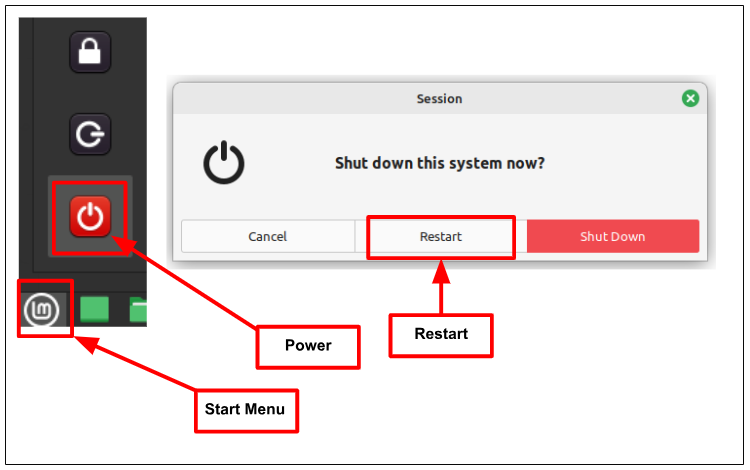
- click the start menu and click the power icon
- choose 'restart' from the popup
See the screenshot below for a visual
If that doesn't work...
Reboot your Mikrotik:
- unplug your router (your home internet box)
- unplug your Mikrotik (the little white box all your PedsOne equipment is connected to)
- wait ten seconds
- plug in your router and wait for it to load - you can check your cell phone to see when your internet is restored and getting a signal
- once your internet is connected again, plug your Mikrotik back in
Was this article helpful?
That’s Great!
Thank you for your feedback
Sorry! We couldn't be helpful
Thank you for your feedback
Feedback sent
We appreciate your effort and will try to fix the article