Note: scroll to the bottom of this document to see relevant screenshots
1. Your headset appears to be working, but there is no sound coming from the headset
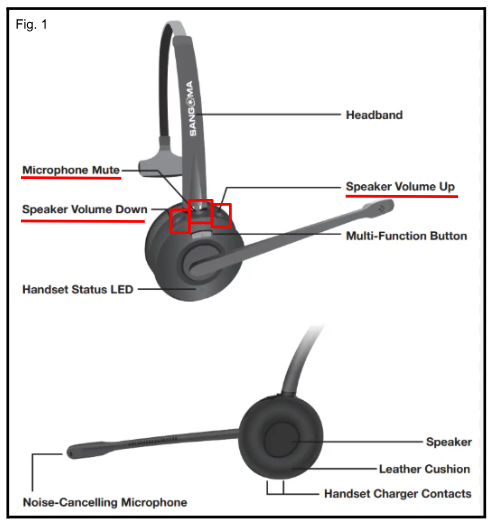
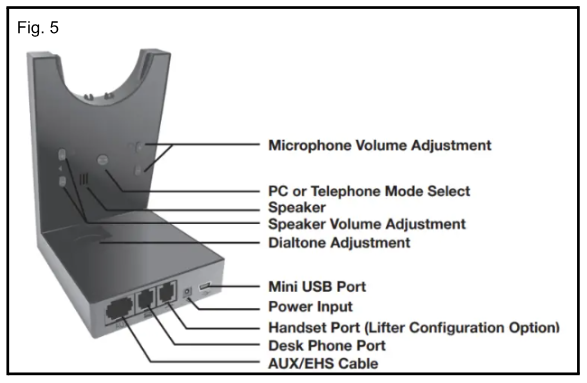
1. Check ALL volume buttons. On the desk phone, on the headset base, and on the headset to make sure they are not turned down or muted. (See Fig. 1 for Headset Overview and Fig. 5 for volume button placement on base).
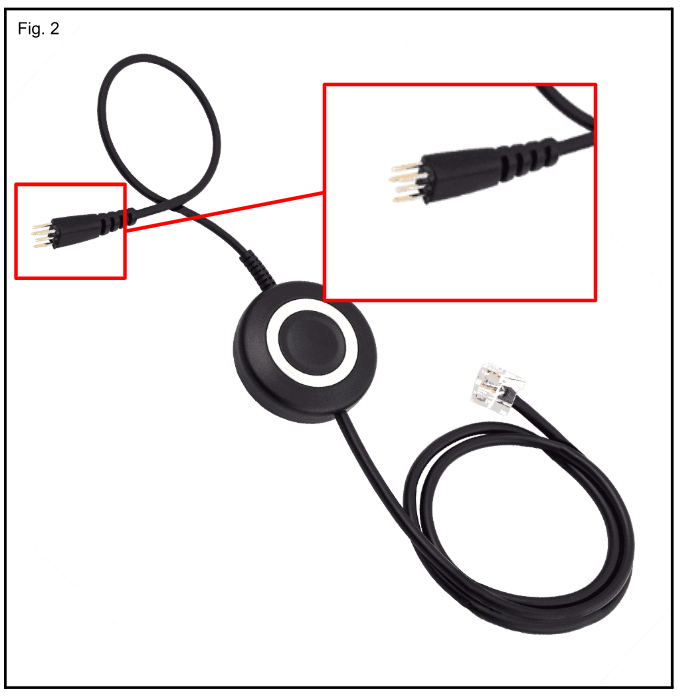
2. The EHS cable is a frequent problem. It's the cord with the little prongs that plugs into the back of your phone. That sucker comes loose sometimes. (Fig. 2)
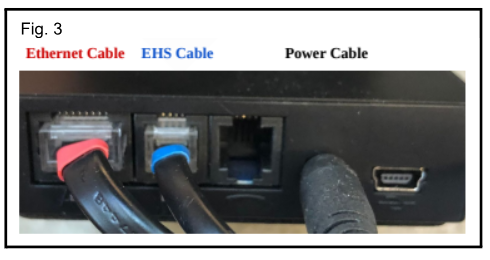
3. Check all cords between the headset base and the phone base to ensure you have them plugged into the correct ports. There are THREE cords. (Fig. 3)
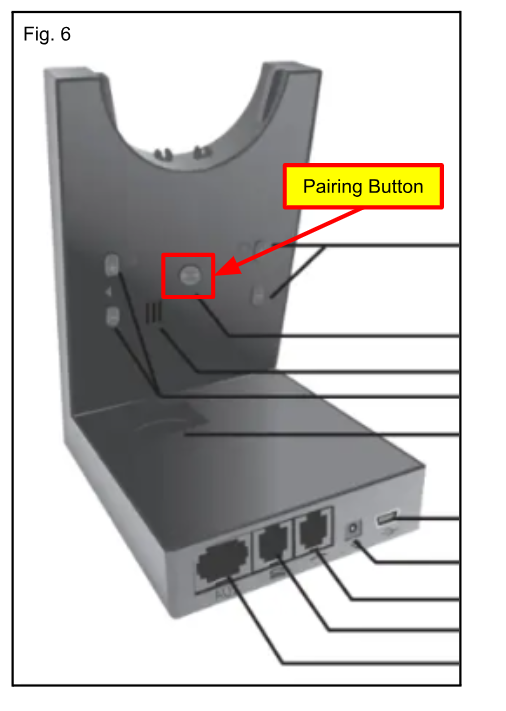
4. Re-pair your headset to the base: While the headset is docked, hold the pair button on the base (Fig. 6) until the blue light on the front of the base flashes. Next, hold the mute button on the headset until it flashes blue. Your headset is now paired to the base.
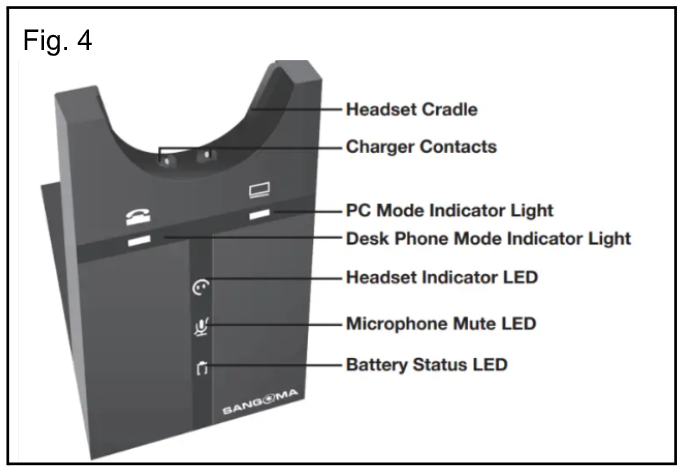
See Fig. 4 and 5 for front and back of base, and Fig. 6 for the location of the pairing button.
The Sangoma Headset Manual is linked here for further details
If your issue isn't resolved after taking these steps, please submit a ticket (or reply to existing ticket) for escalation.
2. Your headset has no volume or low volume and sounds staticy to the other caller
- Fix Static/Interference (DECT): The H20 uses DECT technology. Ensure the base station is at least 1-2 meters away from Wi-Fi routers, cordless phones, cell phones, or other electronic devices that cause interference.
- Resolve Low Volume:
- Check that the headset is not in power-save mode.
- Re-pair the Headset: If audio is poor or missing, re-pair the headset to the base (see video instructions below):
- Unplug the base station power and remove the headset from the cradle.
- Press and hold the microphone '+' button while plugging the power back in.
- Continue holding until the lights flash.
- Press and hold the mute button until the blue light flashes quickly.
Video Instructions - please note, the cords connected to the headset in the video are not accurate. Please see Fig. 3 below for accurate configuration.
Was this article helpful?
That’s Great!
Thank you for your feedback
Sorry! We couldn't be helpful
Thank you for your feedback
Feedback sent
We appreciate your effort and will try to fix the article