1. Your headset is not pairing with the phone
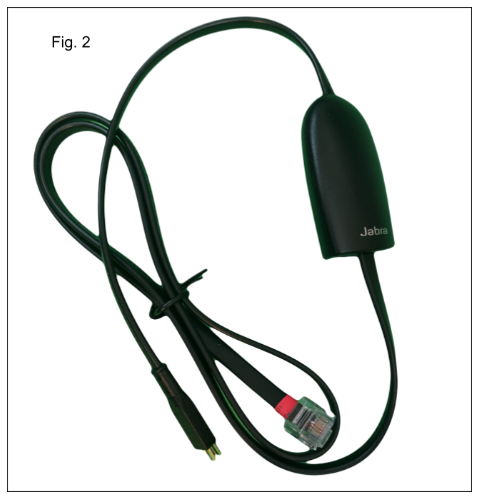
1. The EHS cable is a frequent problem. It's the cord with the little prongs that plugs into the back of your phone. That sucker comes loose sometimes. (Fig. 2) Please check that it's secure.
2. Your headset has no volume or low volume and sounds staticy to the other caller
A long-term low volume on your Jabra headset often stems from earwax/debris clogging the speaker mesh, requiring careful cleaning with a damp swab and maybe a toothpick for the tiny hole.
Your headset may also need a replacement ear pad.
If cleaning fails, attempt re-pairing, resetting the headset, checking the headset settings (mono audio/loudness limits) using the menu on the base.
THIS AREA UNDER CONSTRUCTION
More advanced troubleshooting - cleaning the 4:22. Disregard double earphones. It's the same process as a single earphone
Was this article helpful?
That’s Great!
Thank you for your feedback
Sorry! We couldn't be helpful
Thank you for your feedback
Feedback sent
We appreciate your effort and will try to fix the article