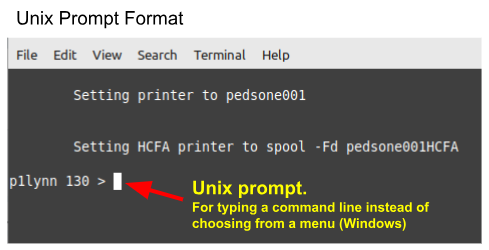

Partner defaults to Windows format. If you want to change it to Unix prompts, follow the steps below:
- Log into Partner in the user's account
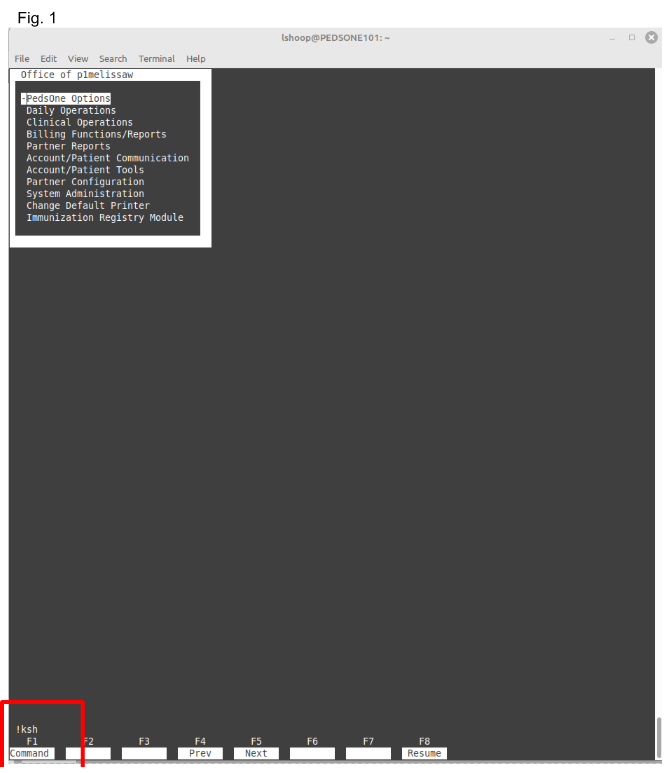
- In the first 'windows' screen, type:
- !ksh
- enter (see Fig. 1)
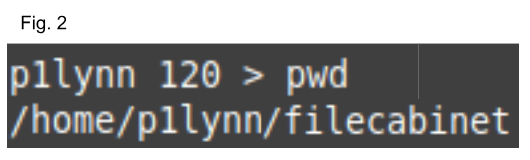
- At the first prompt, type: pwd
- If you're in the filecabinet directory (Fig. 2), you will need to change your directory
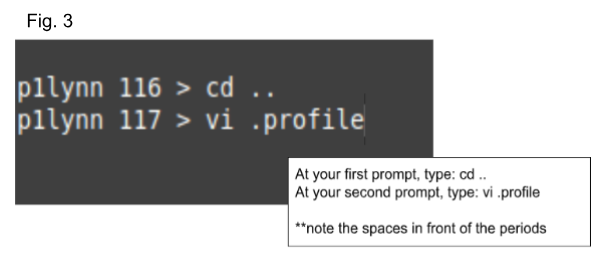
- If you are in the filecabinet directory, follow steps in Fig. 3
- If you are NOT in the filecabinet directory, follow steps in Fig. 4
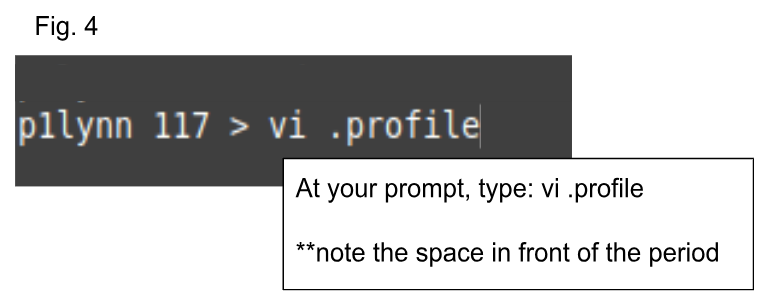
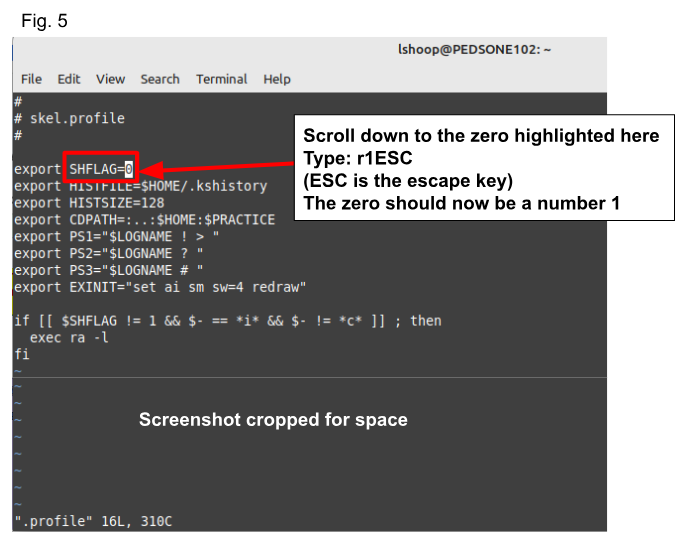
- On the next screen, scroll down to the zero indicated in Fig. 5
- type: r1ESC (escape key)
- the zero should now be a number 1
- type - :wq - to save
- that brings you back to your prompt
- If you use Windows, type: ra to bring you back to your menu
- If you use Unix prompts, you will now be at your prompt and you can type in any command to continue with your workflow
Was this article helpful?
That’s Great!
Thank you for your feedback
Sorry! We couldn't be helpful
Thank you for your feedback
Feedback sent
We appreciate your effort and will try to fix the article